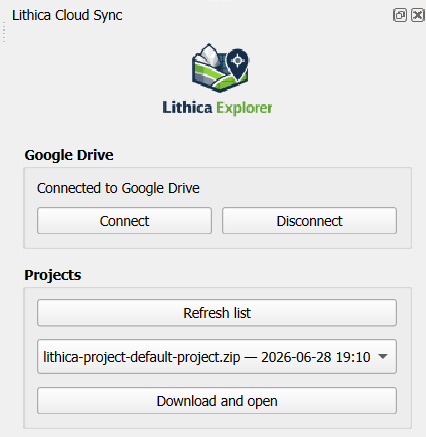
What the application does
Lithica Cloud Sync is a QGIS plugin for geologists and field mapping teams. It detects project backup
ZIP files stored by Lithica Explorer and Lithica Mapper, downloads the project selected by the user,
extracts it locally, and loads its GeoPackage layers and tables into QGIS.
The plugin provides a read-only bridge between field data stored in Google Drive and desktop analysis.
It does not edit, upload, replace, or delete files in Google Drive.
Google Drive access
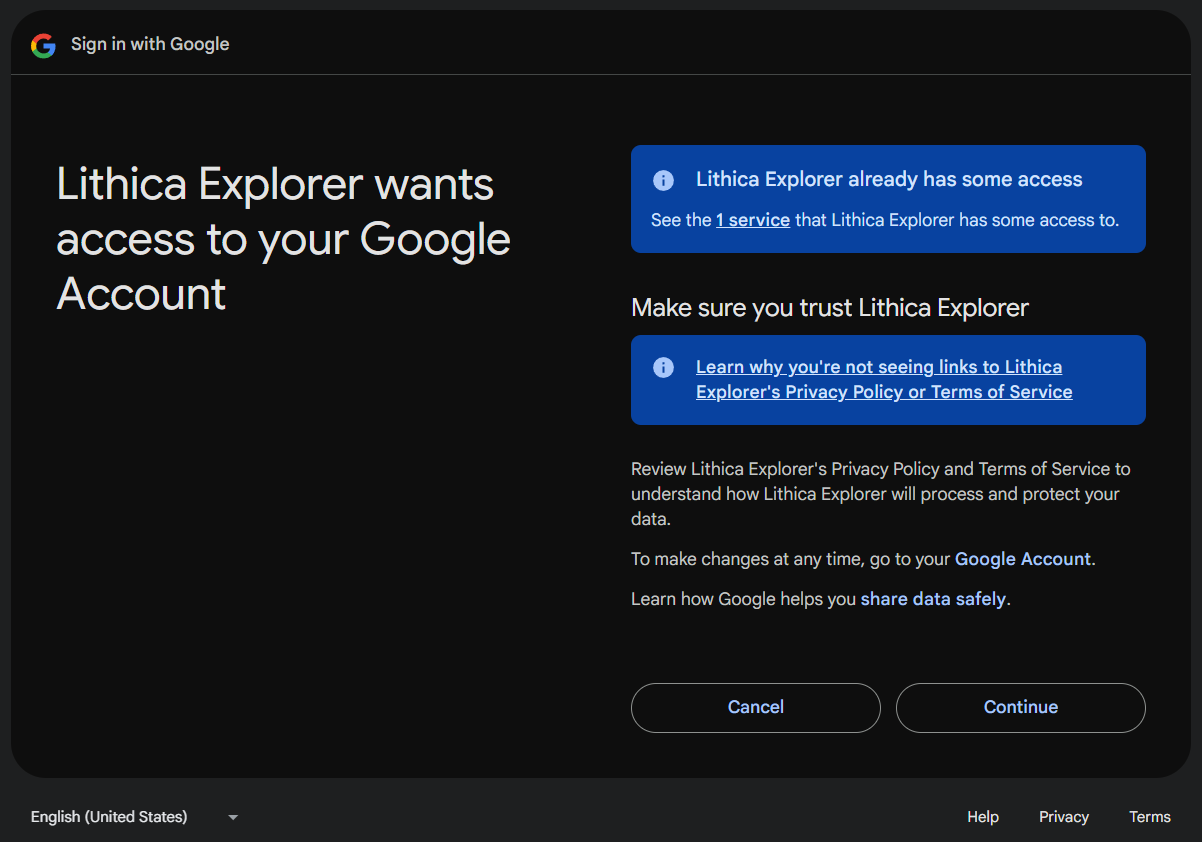
The plugin uses secure Google OAuth 2.0 authorization and requests the
Google Drive read-only scope (drive.readonly).
Its application logic searches for and reads project backup files only within the
Lithica Explorer and Lithica Mapper folders. Google authorization
can be revoked at any time from your Google Account.
Key features
- Secure connection to Google Drive through OAuth 2.0.
- Automatic detection of Lithica project backups.
- One-click download and extraction of selected project ZIP archives.
- Loading of GeoPackage layers and tables while preserving field structure.
How to install
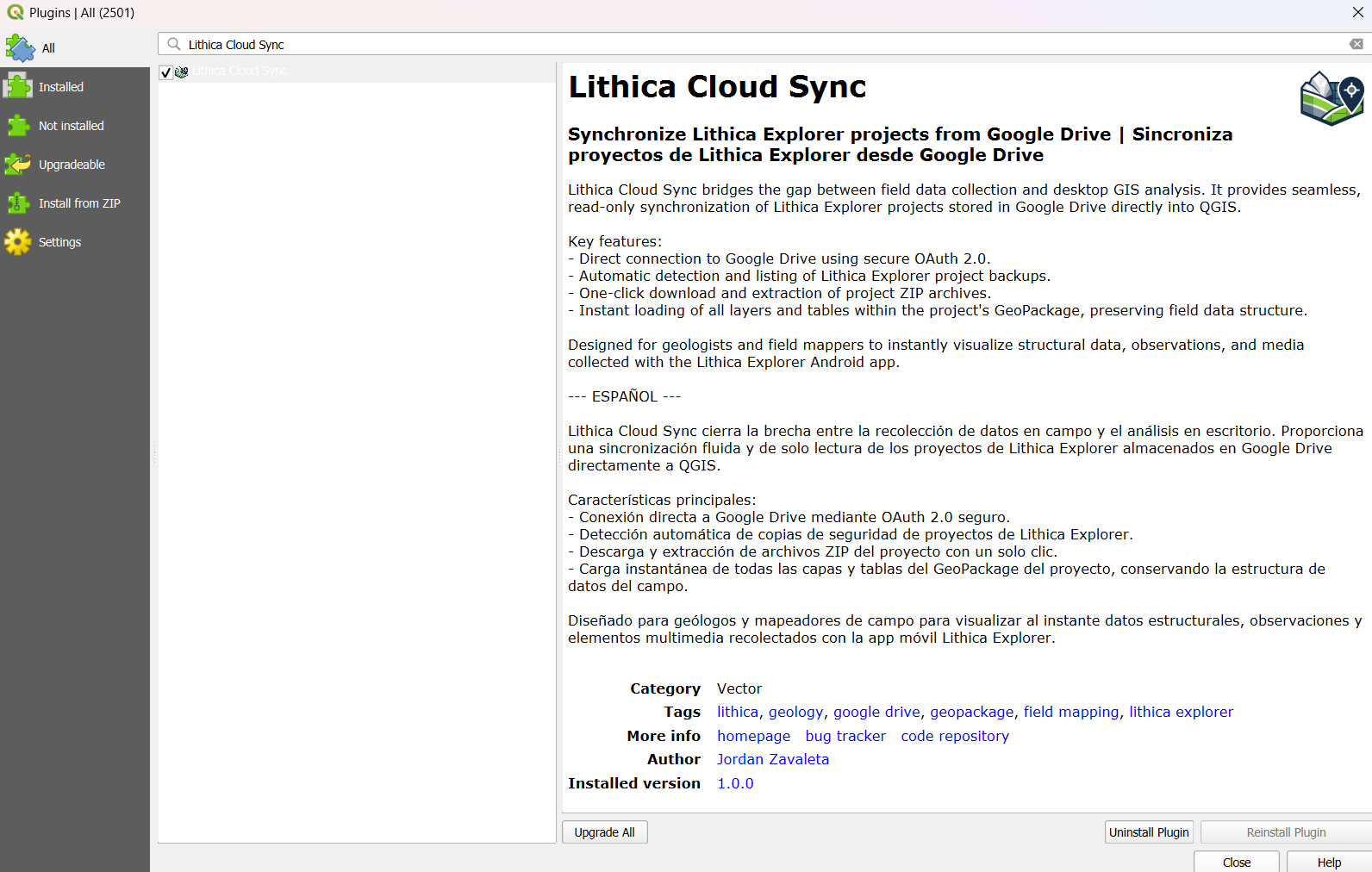
Option 1: QGIS Plugin Manager
- In QGIS, go to Plugins > Manage and Install Plugins...
- Search for Lithica Cloud Sync and click Install Plugin.
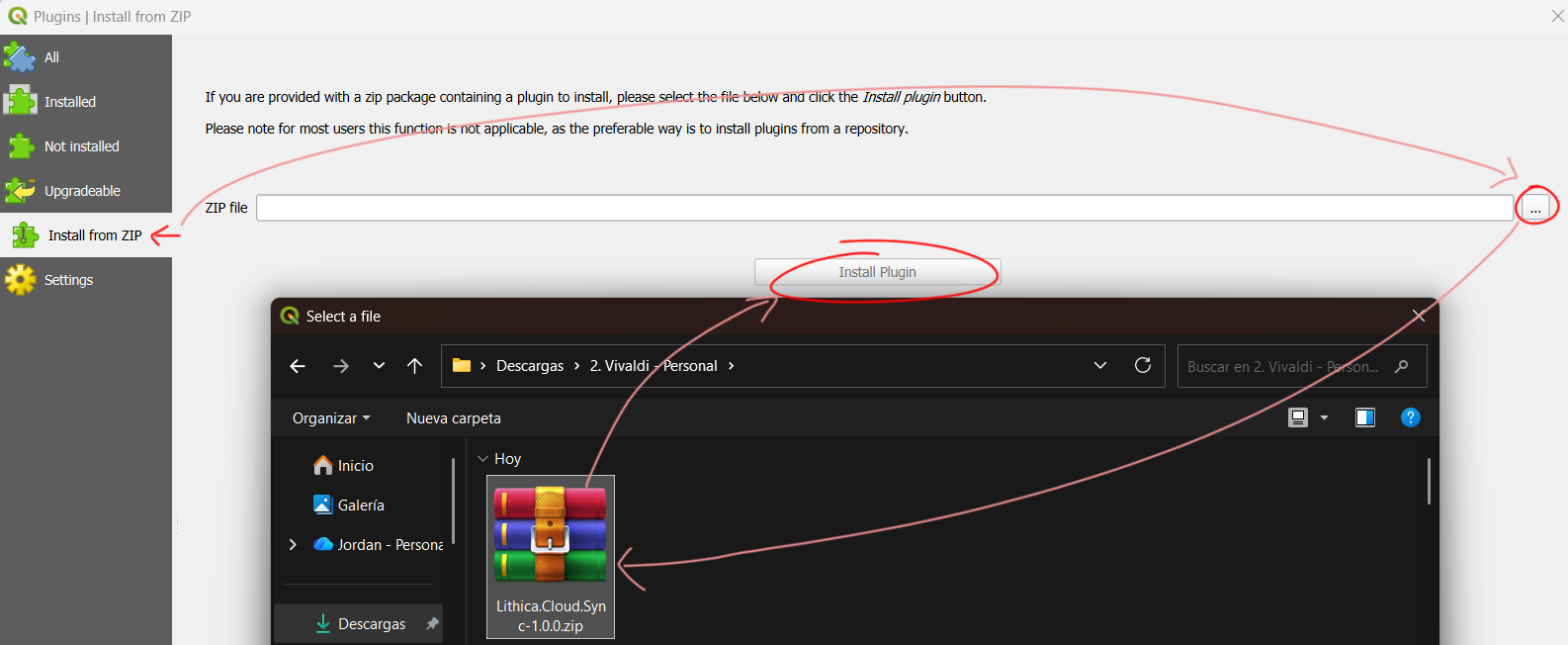
Option 2: Direct ZIP download
Download Lithica Cloud Sync v2.0.3. Then open Plugins > Manage and Install Plugins... > Install from ZIP and select the downloaded file.
Connect and open a project
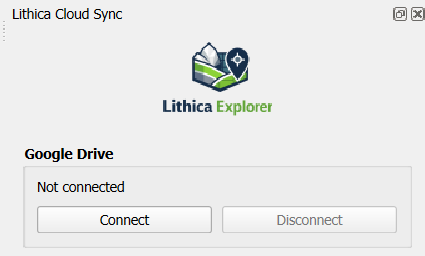
- Open the plugin and click Connect.
- Sign in with your Google account and authorize Lithica Cloud Sync to read your files.
- Select a backup and click Download and Open to load it into QGIS.
Privacy and support
Review the Privacy Policy and
Terms of Service for Lithica Cloud Sync.
For OAuth consent, privacy, or technical support questions, contact
jordanzav@gisgeo.dev.
Developer: GisGeo Dev · Jordan Zavaleta